Aesthetic Bible verse wallpaper maker
To make an aesthetic Bible verse wallpaper, pick a short verse, choose a soft neutral background such as warm sand or cream paper, and set it in an elegant serif. Then pick your screen size and download the PNG. It is free, it works in your browser, and it needs no account.
By The Lampscreen team (Product and testing). Last updated .
iPhone 16, 15, 15 Pro, 14 Pro, 1179 x 2556 px
The free PNG carries a small mark at the bottom. The clean file has no mark and is rendered on our server: 1 free each day, then credits.
How to make an aesthetic Bible verse wallpaper, step by step
Open the Short verses topic and pick a line of ten words or fewer.
Choose Warm sand, Cream paper or Sage green as the background.
Set the font to Cormorant italic or Playfair and lower the text size a little.
Pick your phone or laptop from the screen list.
Download the free PNG, then set it as your lock screen.
Every size downloads free with a small mark, and the first 1 clean HD render each day is free too. After that, see the pricing page for packs and plans, or read how we test the tool.
Aesthetic Bible verse wallpaper: a real render from our maker
We rendered this page's starting design with the same code that makes the clean HD download. So the picture and the numbers below come from one real run, not a mockup.
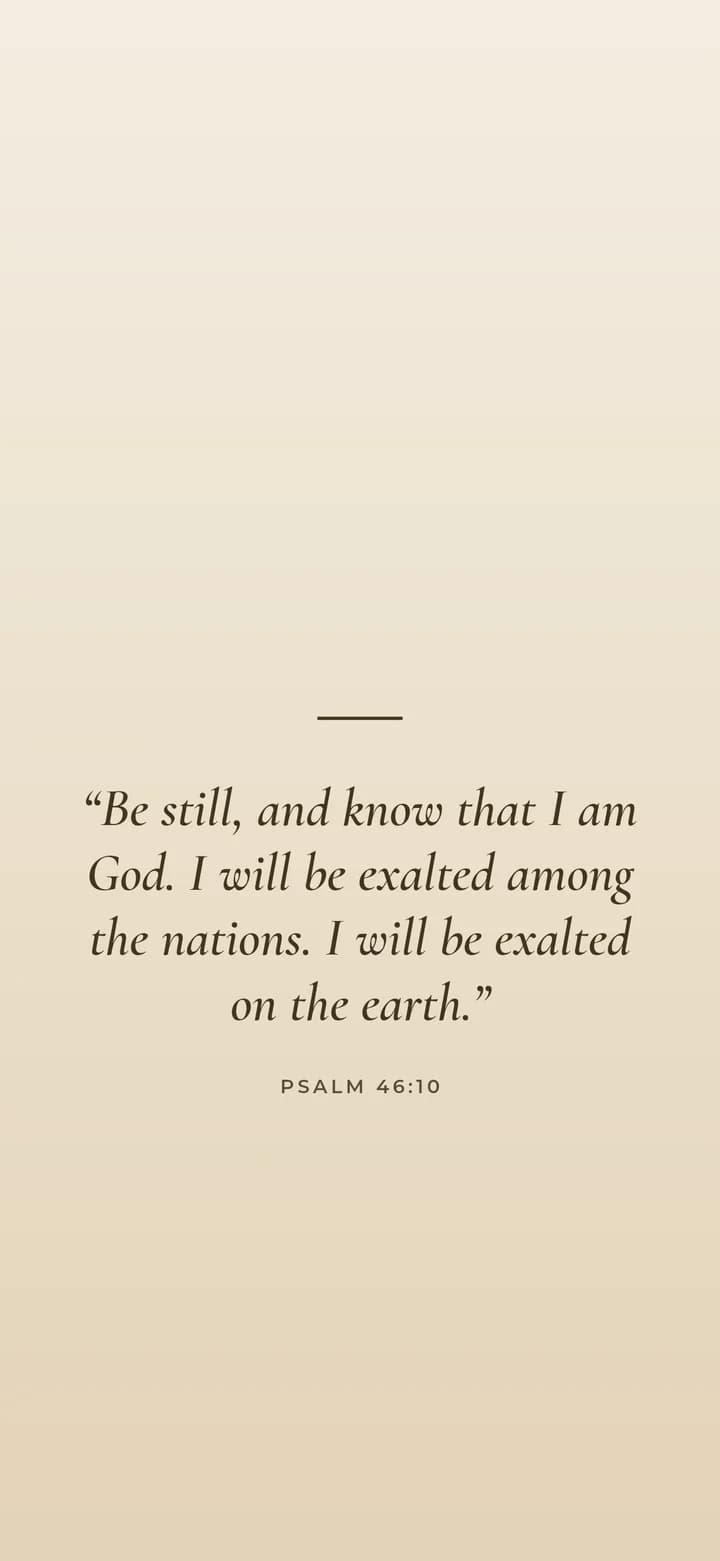
- Verse
- Psalm 46:10 (World English Bible)
- Background
- Warm sand
- Screen
- iPhone 16, 15, 15 Pro, 14 Pro
- Resolution
- 1179 x 2556 px
- Font
- Cormorant italic (elegant)
- Verse font size
- 87 px
- Lines
- 4
- PNG file size
- 110 KB
- Render time
- 112 ms
How we test: every page is rendered at the native size of its screen, and we check each file by hand on a real phone or monitor. More on the about page.
What makes a Bible verse wallpaper look aesthetic
Most aesthetic wallpapers share three habits. First, they use a calm palette: beige, cream, sage or muted pink, never pure white. Second, the type is small and has room to breathe. Third, there is only one idea on the screen, so a short verse works better than a whole paragraph.
For that reason, our aesthetic presets start with a warm gradient and a serif font. The verse sits below the clock, and the reference sits under it in small spaced capitals. As a result, the screen reads like a page from a well made book rather than a poster.
Best verses for an aesthetic wallpaper
Short verses look best, because they keep the empty space that gives the style its quiet feel. For example, Psalm 46:10 (Be still, and know that I am God) fits on two lines. Likewise, 1 Thessalonians 5:17 and Psalm 118:24 are short enough to stay elegant at a large size.
Longer passages still work. However, lower the text size and keep the alignment centered, so each line stays roughly the same width. If a verse wraps into more than six lines, consider a shorter part of it and keep the full reference.
Fonts and colors that keep the look calm
Cormorant italic gives a soft, handwritten feeling without the busy loops of a script font. Playfair is a little stronger and suits darker backgrounds. In contrast, a heavy sans serif can feel loud on a beige screen, so save Montserrat for the black styles.
Leave the text color on Auto. Then the maker uses a deep brown on light backgrounds and a warm off white on dark ones. Both pass a high contrast check, so the verse stays readable even with the screen dimmed.
When this maker is not the right tool
If you want a photo collage, layered stickers or many fonts on one image, a full design app such as Canva gives you more freedom. Our maker does one thing: one verse, one background, the right size for your screen.
Also, we only ship two public domain translations, the KJV and the WEB. If you prefer the NIV or ESV, you can still paste that text into the box yourself for personal use.
Aesthetic presets in the maker
| Setting | Aesthetic choice |
|---|---|
| Backgrounds | Warm sand, Cream paper, Sage green, Lavender, Blush pink |
| Fonts | Cormorant italic, Playfair, Lora |
| Text color | Auto: deep brown on light, warm white on dark |
| Layout | Centered, below the lock screen clock |
| Output | PNG at the native size of your screen |
Aesthetic Bible verse wallpaper FAQ
How do I make an aesthetic Bible verse wallpaper for free?
Pick a verse on this page, choose a neutral background and a serif font, then press Download free PNG. Every size is free with a small mark at the bottom.
What colors are considered aesthetic for a verse wallpaper?
Soft neutrals such as beige, cream, sage and dusty pink are the most common. Black with warm white text is the popular dark option.
Which Bible verse is best for an aesthetic lock screen?
A short one. Psalm 46:10, Psalm 23:1 and 1 Thessalonians 5:16 to 18 all fit on a few lines and leave room around the text.
Can I use my own photo as the background?
Yes. Press Use my own photo, then use the Darken slider so the verse stays readable. For the free download the photo never leaves your browser.
Will the wallpaper fit my iPhone without cropping?
Yes. Pick your exact model in the screen list and the PNG matches its native resolution, so iOS does not need to zoom or crop it.
Is the Bible text accurate?
Yes. The verses come straight from the public domain KJV and World English Bible files published by eBible.org, so we never retype them.