Bible verse lock screen maker
To make a Bible verse lock screen, pick a verse, keep the position on Below the clock, choose your phone model and download the free PNG. The verse lands between the clock and the bottom buttons, so nothing covers it. It runs in your browser and needs no app or account.
By The Lampscreen team (Product and testing). Last updated .
iPhone 16 Pro, 1206 x 2622 px
The free PNG carries a small mark at the bottom. The clean file has no mark and is rendered on our server: 1 free each day, then credits.
How to make a Bible verse lock screen, step by step
Pick a verse from the Strength topic or search for a word you love.
Leave the position on Below the clock.
Choose your exact phone model in the screen list.
Set a dark background such as Starry night so the clock stays readable.
Download the PNG and set it as your lock screen only.
Every size downloads free with a small mark, and the first 1 clean HD render each day is free too. After that, see the pricing page for packs and plans, or read how we test the tool.
Bible verse lock screen: a real render from our maker
We rendered this page's starting design with the same code that makes the clean HD download. So the picture and the numbers below come from one real run, not a mockup.
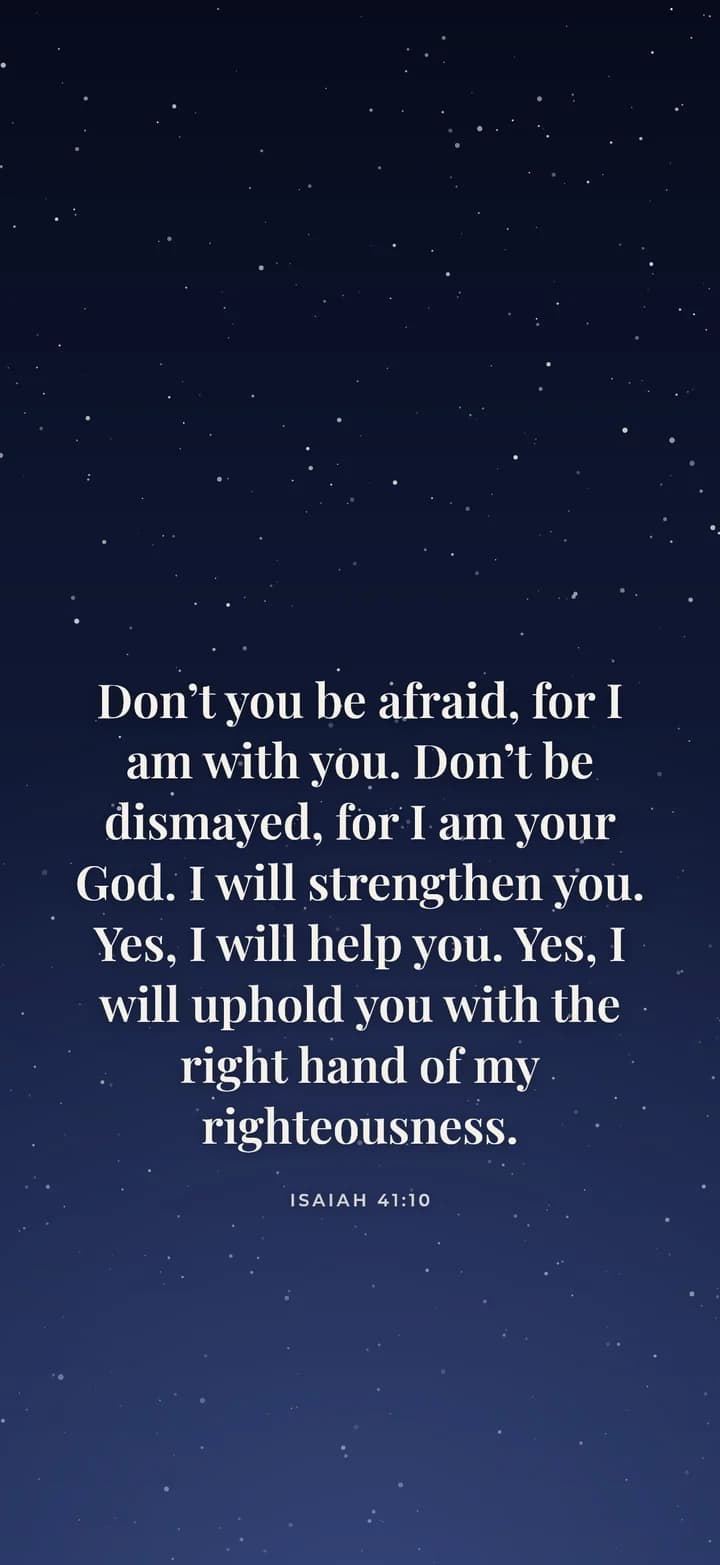
- Verse
- Isaiah 41:10 (World English Bible)
- Background
- Starry night
- Screen
- iPhone 16 Pro
- Resolution
- 1206 x 2622 px
- Font
- Playfair (classic serif)
- Verse font size
- 80 px
- Lines
- 8
- PNG file size
- 444 KB
- Render time
- 199 ms
How we test: every page is rendered at the native size of its screen, and we check each file by hand on a real phone or monitor. More on the about page.
Why the lock screen is a good place for a verse
You see your lock screen many times a day. You check the time, read a message or reach for the camera. Each glance is a small chance to read a line of Scripture without opening an app.
Also, the lock screen shows fewer icons than the home screen. So a verse there has room around it and stays easy to read. Many people keep a verse on the lock screen and a plain color behind their apps.
Keeping the verse clear of the clock and buttons
Phones put the clock near the top and a few controls near the bottom. On an iPhone, the flashlight and camera buttons sit in the lower corners. On Android, the clock style and shortcuts change from brand to brand.
For this reason, the Below the clock position keeps the verse between roughly 40% and 80% of the screen height. As a result, the time never sits on top of the words, and your thumb never hides the reference. If your clock is small, you can try Upper third instead.
Picking a Bible verse lock screen you will keep
Short verses read best at a glance. For example, Isaiah 41:10 starts with a promise many people hold onto: "Don’t you be afraid, for I am with you." Then you can trim the rest of the verse, or keep it and lower the text size.
Next, think about light. A dark background, such as Starry night or Midnight black, keeps the lock screen calm at night. In contrast, a light one like Cream paper feels fresh in the morning but can glare in a dark room.
Finally, you can change it often. Some people pick a new verse each week. Others use the daily verse image with an iPhone Shortcuts automation, which sets a fresh verse each morning.
When this is not the right choice
If you want widgets, moving photos or a depth effect over the clock, use the built in lock screen editor on your phone. Our maker makes one still image, and it does not control those features.
Likewise, a long passage can feel crowded on a phone. In that case, a laptop wallpaper gives the words more room. We also ship only the KJV and the WEB, though you can paste your own text for personal use.
Lock screen settings in the maker
| Setting | Default for this page |
|---|---|
| Position | Below the clock, about 40% to 80% of the height |
| Background | Starry night, with 15 other choices or your own photo |
| Font | Playfair, with 5 other fonts |
| Screen size | iPhone 16 Pro, 1206x2622, plus 16 other sizes |
| Translations | KJV and WEB, both public domain |
| Price | Free PNG with a small mark, or 1 clean HD file a day |
Bible verse lock screen FAQ
How do I put a Bible verse on my lock screen?
Make the image here, save it to your phone, then set it as wallpaper. On iPhone open Photos, tap Share, then Use as Wallpaper. On Android long press the home screen and open Wallpaper and style.
Can I use a Bible verse on the lock screen only?
Yes. When your phone asks, choose the lock screen only. Then you can keep a plain or different image on the home screen behind your apps.
Why does the clock cover my verse?
The image was likely made for a different screen or with the text near the top. Pick your exact model and keep the position on Below the clock.
Can my lock screen show a new Bible verse every day?
On iPhone, yes. We publish a free daily verse image, and an iPhone Shortcuts personal automation can set it as your lock screen each morning.
What is a good Bible verse for a lock screen?
A short one you want to remember. Isaiah 41:10, Philippians 4:13 and Psalm 46:10 are popular, and the Strength and Short verses topics list more.
Is the lock screen maker free?
Yes. The PNG download is free at every size with a small mark. One clean HD file without the mark is free each day.