iPhone Bible verse wallpaper maker
To make an iPhone Bible verse wallpaper, pick a verse, choose your iPhone model so the image matches its native resolution, and download the PNG. Then open it in Photos, tap Share and choose Use as Wallpaper. It is free, runs in Safari and needs no app.
By The Lampscreen team (Product and testing). Last updated .
iPhone 16 Pro Max, 1320 x 2868 px
The free PNG carries a small mark at the bottom. The clean file has no mark and is rendered on our server: 1 free each day, then credits.
How to make an iPhone Bible verse wallpaper, step by step
Open this page in Safari on your iPhone.
Pick a verse, for example Philippians 4:13 from the Strength topic.
Choose your iPhone model in the screen list.
Download the PNG and save it to Photos.
Tap Share, then Use as Wallpaper, and pinch out if iOS zooms in.
Every size downloads free with a small mark, and the first 1 clean HD render each day is free too. After that, see the pricing page for packs and plans, or read how we test the tool.
IPhone Bible verse wallpaper: a real render from our maker
We rendered this page's starting design with the same code that makes the clean HD download. So the picture and the numbers below come from one real run, not a mockup.
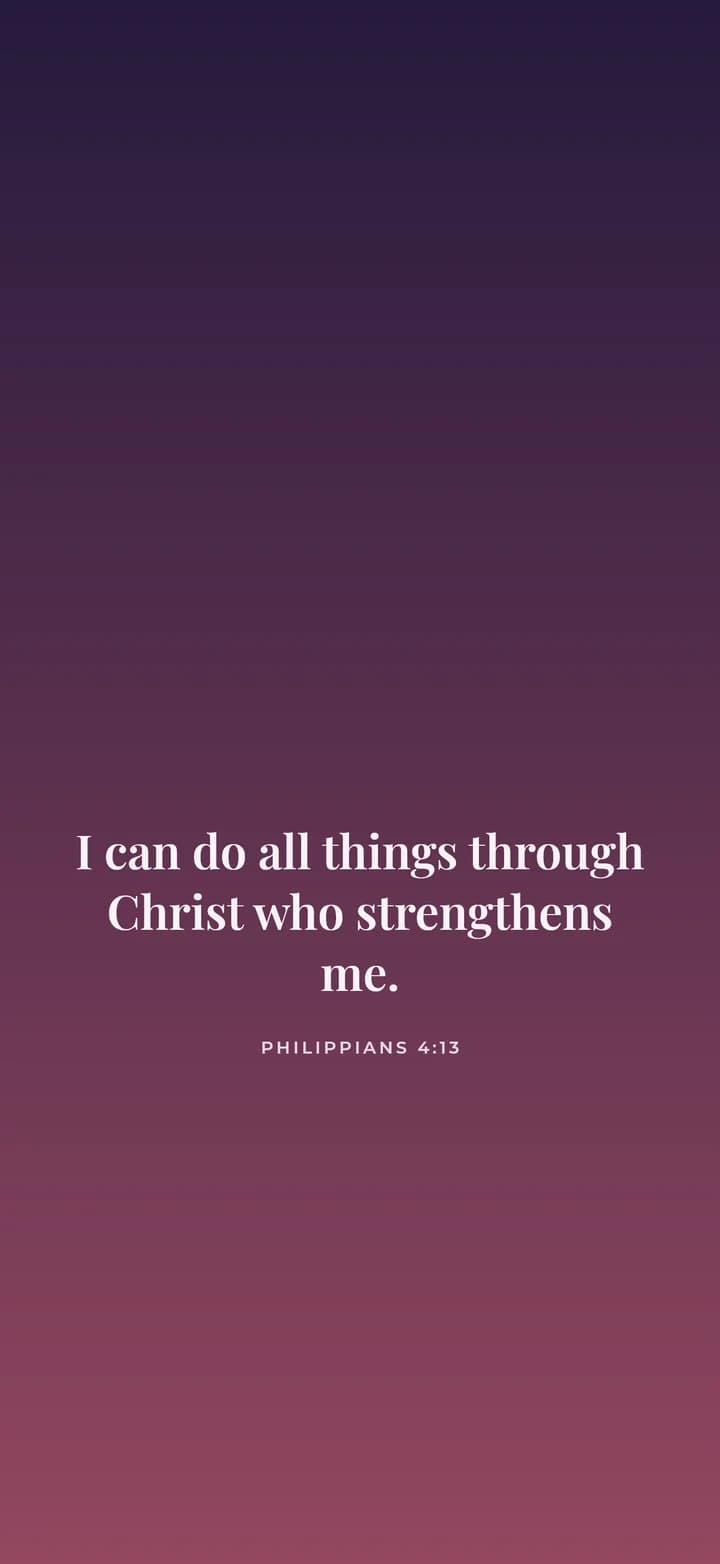
- Verse
- Philippians 4:13 (World English Bible)
- Background
- Dusk
- Screen
- iPhone 16 Pro Max
- Resolution
- 1320 x 2868 px
- Font
- Playfair (classic serif)
- Verse font size
- 87 px
- Lines
- 3
- PNG file size
- 72 KB
- Render time
- 145 ms
How we test: every page is rendered at the native size of its screen, and we check each file by hand on a real phone or monitor. More on the about page.
Why the exact iPhone model matters
Each iPhone has its own screen resolution. For example, an iPhone 16 Pro Max is 1320x2868 pixels, while an iPhone SE is 750x1334. So an image made for one model can look soft, or get cropped, on another.
Our maker draws the wallpaper at the native size of the model you pick. As a result, iOS has no reason to stretch it, and the verse stays sharp. If you are not sure which model you have, open Settings, then General, then About.
Fitting an iPhone Bible verse wallpaper around the clock
The iPhone lock screen puts a large clock near the top. In addition, the flashlight and camera buttons sit in the bottom corners. A verse placed in either spot gets covered.
That is why the Below the clock position keeps the text between roughly 40% and 80% of the screen height. Then the words stay readable when you wake the phone. On the home screen, however, your app icons will cover part of the verse, so many people set it on the lock screen only.
A new verse each morning with Shortcuts
We publish a free daily verse image at a fixed address that changes every day. With a personal automation in the iPhone Shortcuts app, you can fetch that image and set it as your lock screen each morning.
This takes a few minutes to set up. After that, it runs on its own, and you wake up to a fresh verse. Our daily verse shortcut guide walks through each step.
When this maker is not the right choice
If you want a moving wallpaper, a photo shuffle or widgets above the clock, use the lock screen editor built into iOS. Our maker makes one still PNG, so it cannot add those effects.
Also, we only ship the KJV and the WEB. Still, you can paste another translation into the text box for personal use. If you also want the verse on a Mac or iPad, pick that size and download a second file.
iPhone sizes in the maker
| iPhone model | Native size in pixels |
|---|---|
| iPhone 16 Pro Max | 1320x2868 |
| iPhone 16 Pro | 1206x2622 |
| iPhone 16, 15, 15 Pro, 14 Pro | 1179x2556 |
| iPhone 16 Plus, 15 Plus, 15 Pro Max | 1290x2796 |
| iPhone 14, 13, 13 Pro, 12 | 1170x2532 |
| iPhone SE | 750x1334 |
IPhone Bible verse wallpaper FAQ
How do I set a Bible verse as my iPhone wallpaper?
Save the PNG to Photos, open it, tap Share and choose Use as Wallpaper. Then pick the lock screen, the home screen or both.
Why is my iPhone wallpaper zoomed in or blurry?
The image was likely made for a different size. Pick your exact model here, then pinch out in the wallpaper preview so iOS shows the full image.
Do I need an app to make an iPhone Bible verse wallpaper?
No. The maker runs in Safari or any browser. There is nothing to install and no account to create.
Can my iPhone change the Bible verse wallpaper every day?
Yes. A Shortcuts personal automation can load our free daily verse image and set it as your lock screen each morning.
Which iPhone models are supported?
Every size from the iPhone SE to the iPhone 16 Pro Max is in the list, plus iPad sizes if you want a matching tablet wallpaper.
Is the iPhone wallpaper free?
Yes. The PNG is free with a small mark at the bottom. One clean HD file without the mark is free each day.