Bible verse wallpaper for laptop screens, Mac and Windows
To make a Bible verse wallpaper for your laptop, pick a verse, choose a calm background, keep the text centered and select your laptop in the screen list, such as MacBook Air 13 inch or Laptop 1080p. Then download the free PNG and set it as your desktop background. No app or account is needed.
By The Lampscreen team (Product and testing). Last updated .
MacBook Air 13 inch, 2560 x 1664 px
The free PNG carries a small mark at the bottom. The clean file has no mark and is rendered on our server: 1 free each day, then credits.
How to make a Bible verse wallpaper for your laptop, step by step
Open the Faith and trust topic and choose a verse you want to see while you work.
Pick a quiet background such as Sage green, Warm sand or Midnight black.
Keep the position on Center and lower the text size so icons have room.
Select your laptop model or Laptop or desktop 1080p in the screen list.
Download the PNG and set it as your desktop background.
Every size downloads free with a small mark, and the first 1 clean HD render each day is free too. After that, see the pricing page for packs and plans, or read how we test the tool.
Bible verse wallpaper for laptop: a real render from our maker
We rendered this page's starting design with the same code that makes the clean HD download. So the picture and the numbers below come from one real run, not a mockup.
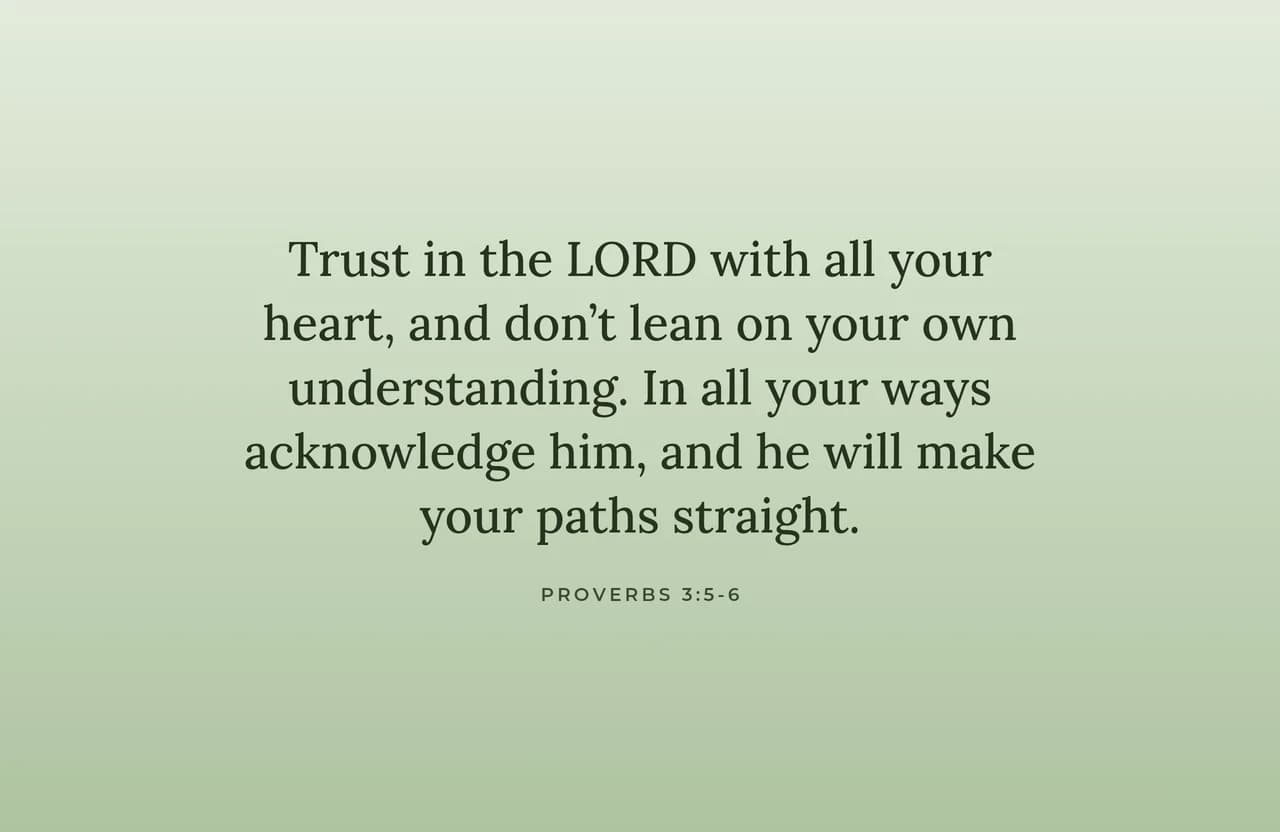
- Verse
- Proverbs 3:5-6 (World English Bible)
- Background
- Sage green
- Screen
- MacBook Air 13 inch
- Resolution
- 2560 x 1664 px
- Font
- Lora (book serif)
- Verse font size
- 96 px
- Lines
- 5
- PNG file size
- 174 KB
- Render time
- 159 ms
How we test: every page is rendered at the native size of its screen, and we check each file by hand on a real phone or monitor. More on the about page.
Choosing the right size for your laptop
Laptop screens vary more than people think. Many Windows laptops use 1920 x 1080, while a MacBook Air 13 inch has 2560 x 1664 and a MacBook Pro 14 inch has 3024 x 1964. So a file made for one laptop can look cropped or soft on another.
If you are not sure, check your display settings first. On Windows, open Settings, then System, then Display. On a Mac, the model name tells you enough. Then pick the matching size here, and the PNG fits without stretching.
Laying out a Bible verse wallpaper for laptop desktops
A laptop desktop is busier than a phone lock screen. It has a taskbar or Dock along the bottom, a menu bar on a Mac, and often a row of icons on the left. Therefore, a verse in the exact center is the safest choice.
Also, keep the text a bit smaller than you would on a phone. You see the screen for hours, so the verse should feel like a quiet note rather than a banner. A verse such as Proverbs 3:5 to 6 fits on three or four lines at a modest size.
Backgrounds that are easy on the eyes all day
Bright gradients look lovely for a minute, but they can tire your eyes during a long workday. Instead, Sage green, Warm sand and Cream paper stay soft behind open windows. For evening work or dark mode, Midnight black and Starry night are calmer still.
You can also use your own photo, for example a landscape from a trip. Then move the Darken slider up until the verse reads clearly. For the free download, the photo stays in your browser and is never uploaded.
When this laptop wallpaper is not the right fit
We only offer the laptop sizes listed in the maker. If your screen has an unusual shape, such as an ultrawide external monitor, the image may be cropped at the edges. In that case, a full design app gives you a custom canvas.
Similarly, if you want a different verse to appear each day on your laptop, our daily image is set up for iPhone Shortcuts, not for Windows or macOS. On a laptop you would need to download a new file and set it yourself.
Laptop sizes in the Bible verse wallpaper maker
| Laptop or screen | Resolution in pixels |
|---|---|
| Laptop or desktop 1080p | 1920 x 1080 |
| MacBook Air 13 inch | 2560 x 1664 |
| MacBook Pro 14 inch | 3024 x 1964 |
| Desktop 1440p (QHD) | 2560 x 1440 |
| Desktop 4K | 3840 x 2160 |
Bible verse wallpaper for laptop FAQ
How do I make a Bible verse wallpaper for my laptop?
Pick a verse on this page, choose a background and font, then select your laptop in the screen list. Press Download free PNG and set the file as your desktop background.
What size should a laptop wallpaper be?
Use the native resolution of your screen. Many Windows laptops are 1920 x 1080. A MacBook Air 13 inch is 2560 x 1664 and a MacBook Pro 14 inch is 3024 x 1964.
How do I set a wallpaper on a Windows laptop?
Right click the downloaded PNG and choose Set as desktop background. Windows applies it right away.
How do I change the wallpaper on a MacBook?
Open System Settings, choose Wallpaper, then click Add Photo and select the PNG you downloaded.
Will my desktop icons cover the verse?
Usually not if you keep the verse centered and a little smaller. Icons on Windows line up on the left, and the Mac Dock sits at the bottom.
Can I use the NIV on my laptop wallpaper?
We ship the KJV and the World English Bible. However, you can paste any text into the box yourself, including an NIV verse for personal use.