Free Bible verse wallpaper maker
This Bible verse wallpaper maker is free and runs in your browser. Pick a verse by topic, word or chapter, choose one of 16 backgrounds or your own photo, set the font, and select one of 17 screen sizes. Then download a PNG. There is no app to install and no account.
By The Lampscreen team (Product and testing). Last updated .
iPhone 16, 15, 15 Pro, 14 Pro, 1179 x 2556 px
The free PNG carries a small mark at the bottom. The clean file has no mark and is rendered on our server: 1 free each day, then credits.
How to use the Bible verse wallpaper maker, step by step
Find a verse by topic, by word search, or by book and chapter.
Choose KJV or WEB, or edit the text in the box.
Pick a background and a font, then adjust the size and position.
Select your phone, tablet or computer from the screen list.
Download the free PNG and set it as your wallpaper.
Every size downloads free with a small mark, and the first 1 clean HD render each day is free too. After that, see the pricing page for packs and plans, or read how we test the tool.
Bible verse wallpaper maker: a real render from our maker
We rendered this page's starting design with the same code that makes the clean HD download. So the picture and the numbers below come from one real run, not a mockup.
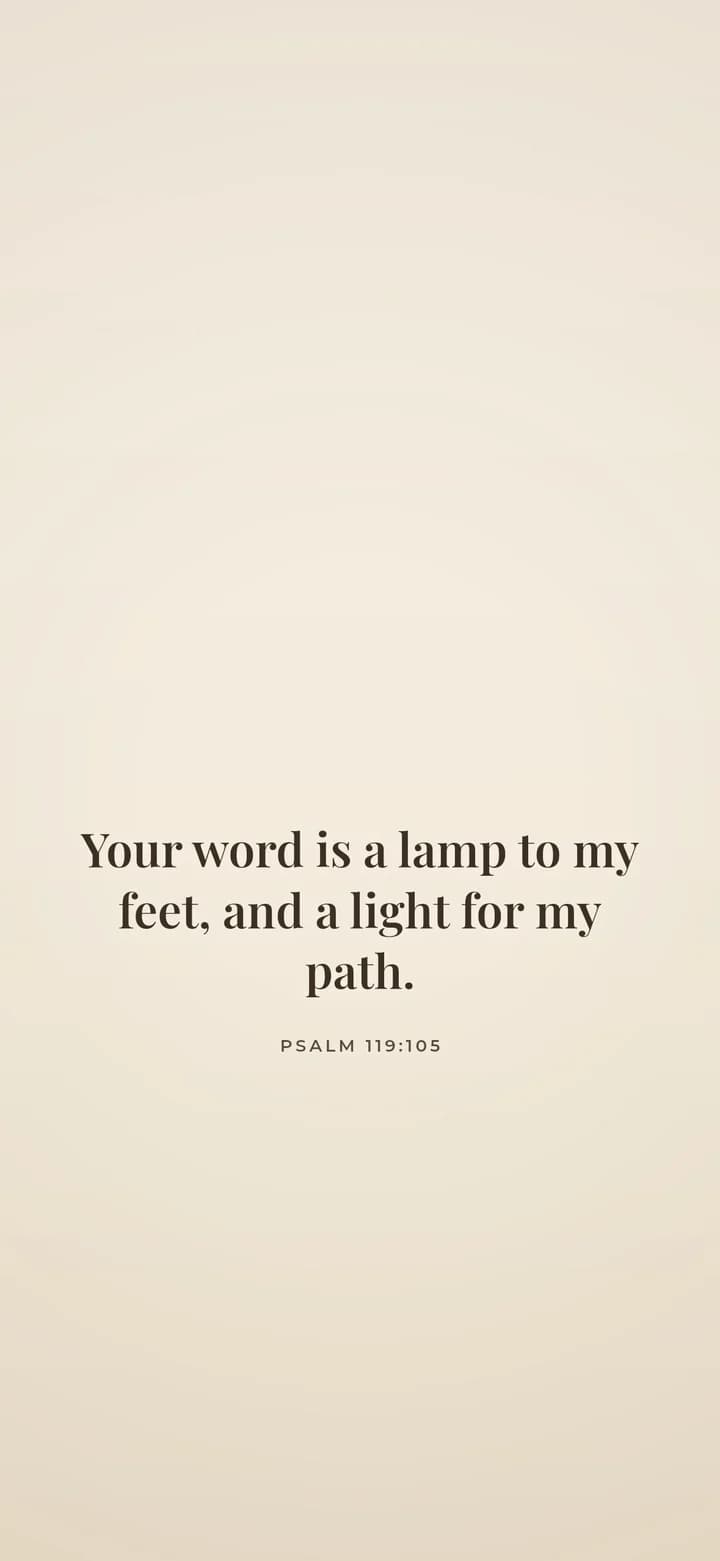
- Verse
- Psalm 119:105 (World English Bible)
- Background
- Cream paper
- Screen
- iPhone 16, 15, 15 Pro, 14 Pro
- Resolution
- 1179 x 2556 px
- Font
- Playfair (classic serif)
- Verse font size
- 78 px
- Lines
- 3
- PNG file size
- 338 KB
- Render time
- 180 ms
How we test: every page is rendered at the native size of its screen, and we check each file by hand on a real phone or monitor. More on the about page.
Three ways to find the right verse
Popular topics are the quickest start. First, tap Strength, Peace and anxiety, Hope, Love, Faith and trust, or Guidance, and a short list of well known verses appears. In addition, there are lists for short verses, for women, and for comfort and healing.
However, if you remember a word but not the reference, use the word search. For example, type lamp to find Psalm 119:105: Your word is a lamp to my feet, and a light for my path. Otherwise, browse by book and chapter and tap the verse you want.
What you can change in the Bible verse wallpaper maker
To begin, you can choose from 16 backgrounds, from Midnight black and Cream paper to Sunset hills and Golden bokeh. You can also upload your own photo and use the Darken slider so the text stays readable.
Next, pick one of six fonts, such as Playfair, Lora or Dancing Script. Then set the text size, choose one of four positions, and align it center or left. Finally, add a small cross, thin line or heart ornament, and show or hide the reference.
Free PNG or clean HD file
First of all, the free download is drawn right in your browser at the full size of your screen. It carries a small lampscreen.com mark at the bottom, and your photo never leaves your device.
If you want a file with no mark, Get the clean HD file renders it on our server. You get one free each day. After that, credits start with a pack of 30 for $4.99, or a monthly plan for $2.99. A church or small group can use the Ministry plan, which gives 300 a month.
When another tool is a better choice
This maker makes one verse on one background. So if you need a church bulletin, a social post with several images, or a printed poster, a general design app gives you more layout control.
Also, we only include the KJV and the WEB, because both are in the public domain. If you read the NIV or ESV, you can paste that text for personal use, but we do not ship those translations.
What the maker includes
| Feature | Details |
|---|---|
| Translations | King James Version and World English Bible |
| Backgrounds | 16 presets, or your own photo with a Darken slider |
| Fonts | Playfair, Cormorant italic, Lora, Montserrat, Dancing Script, Caveat |
| Screen sizes | 17, from iPhone SE to 4K desktop |
| Price | Free PNG with a small mark; one clean HD file free per day |
Bible verse wallpaper maker FAQ
Is there a free Bible verse wallpaper maker?
Yes. This one is free to use with no app and no account. Every screen size downloads as a free PNG with a small mark at the bottom.
Do I need to download an app to make a verse wallpaper?
No. The maker runs in any modern browser on your phone, tablet or computer.
Can I type my own verse or quote?
Yes. You can edit the verse text or type any text you like, and it keeps your chosen style.
What size should a phone wallpaper be?
Pick your exact model in the screen list. For example, the iPhone 16 Pro Max uses 1320x2868 and the Galaxy S25 uses 1080x2340, so nothing gets cropped.
Can I get a new verse wallpaper every day?
Yes. A free daily verse image changes each day, and with an iPhone Shortcuts personal automation it can set your lock screen every morning.
How do I set the image as my wallpaper?
On iPhone, open it in Photos, tap Share, then Use as Wallpaper. On Android, long press the home screen and choose Wallpaper and style.